
Download MyLifeOrganized - To-Do List – task management, to-do list, productivity tool, organize tasks, manage goals
Overview
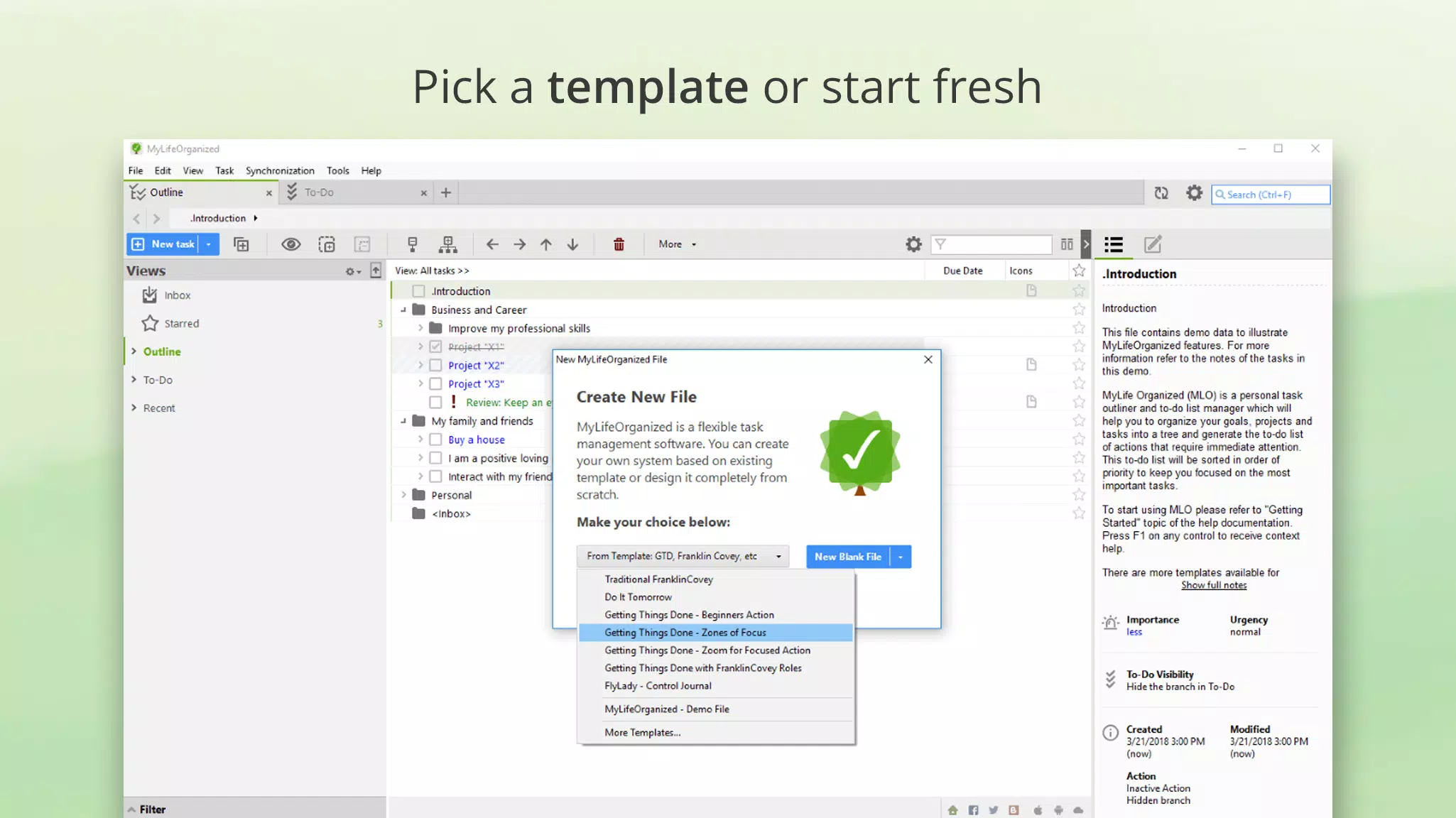
MyLifeOrganized (MLO) is a task management application designed to help users organize their daily activities, long-term goals, and personal projects with precision and clarity. Since its launch in 2004, MLO has evolved into a mature productivity tool that balances advanced functionality with user-friendly design. The app is particularly suited for individuals seeking a customizable and comprehensive system to manage complex workflows, whether for personal use, academic planning, or professional project tracking. Its core purpose is to reduce cognitive load by centralizing tasks, deadlines, and priorities into a single, dynamic environment.
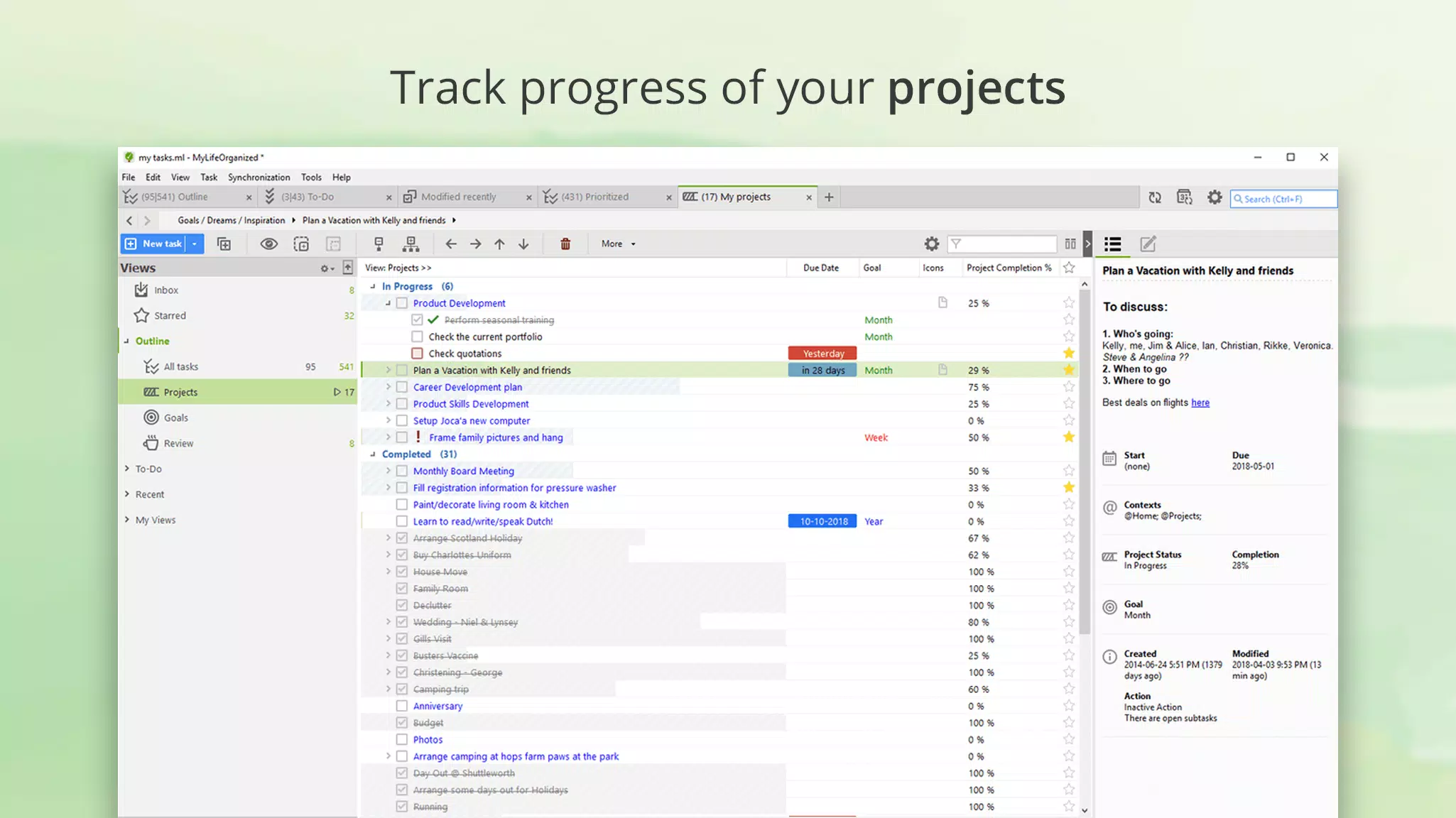
Target users include students, freelancers, entrepreneurs, and professionals who rely on structured planning to maintain efficiency. The app addresses common challenges such as task overload, missed deadlines, and disorganized workflows by offering a system that adapts to individual work patterns. Real-world use cases include managing multi-stage projects, tracking personal development goals, and coordinating team tasks across different contexts. MLO’s long-standing presence in the productivity ecosystem highlights its reliability and enduring value for users committed to intentional planning and goal achievement.
Key Features & Functionality
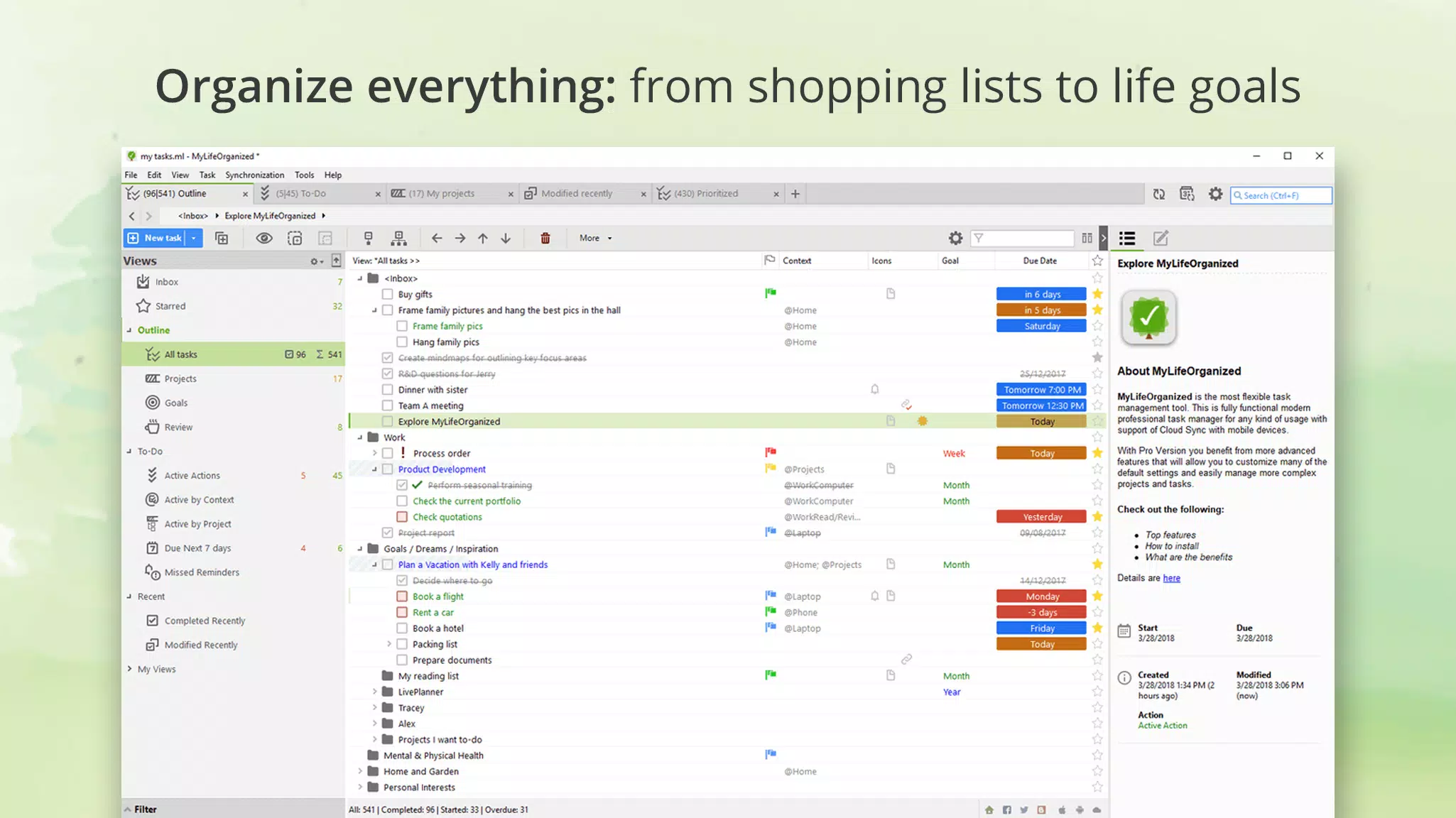
- Flexible Task Management: Users can assign contexts, tags, flags, reminders, due dates, and priority levels to tasks. This level of customization allows for granular organization, enabling users to filter and sort tasks based on specific criteria such as urgency, location, or project type.
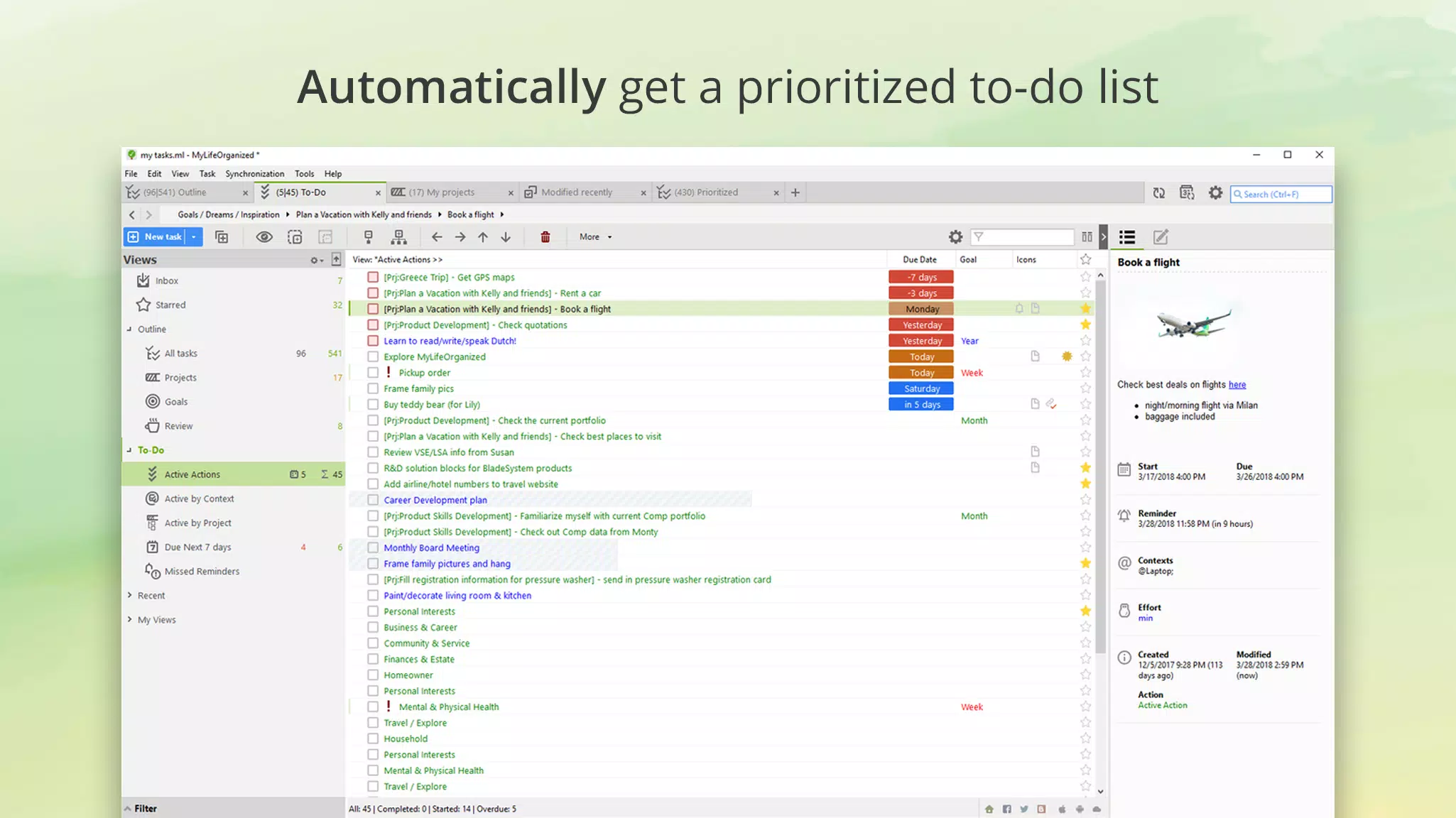
- Smart Action Lists: The app automatically generates a prioritized list of immediate actions based on user-defined rules and current context. This feature helps users focus on what needs to be done now, reducing decision fatigue and improving task initiation.
- Seamless Cloud Syncing: MLO’s cloud service enables real-time synchronization across multiple devices. Users can access their task data from smartphones, tablets, or desktops, ensuring continuity and consistency regardless of device changes.
- Responsive Developer Support: The development team offers support through email and an active user forum. This ensures that users receive timely assistance with technical issues or feature inquiries, fostering a strong user community.
- Free Trial & Subscription Model: A 45-day free trial allows users to explore all features before committing. After the trial, access to full functionality requires a standard or pro subscription, which supports ongoing development and service maintenance.
For example, a student preparing for exams might use contexts like “Study,” “Library,” and “Home” to organize revision tasks, while a project manager could use tags such as “Client A” or “Phase 2” to segment work. The dynamic nature of Smart Action Lists ensures that users always see the most relevant next steps, enhancing focus and productivity.
Interface, UX & Performance
The user interface of MyLifeOrganized follows a clean, minimalist design with a focus on functionality over ornamentation. Tasks are displayed in a structured list format, with collapsible sections and intuitive filtering options. Navigation is consistent across screens, allowing users to move between projects, contexts, and due dates with minimal effort. The app supports both touch and keyboard input, making it accessible for users with different interaction preferences.
Although the developer did not list formal performance metrics, the app is reported to load quickly and respond smoothly during routine operations. Users can expect stable performance across mid-range and high-end Android devices. Responsiveness is maintained even when handling large task databases, suggesting efficient data handling. The app maintains stability during sync operations and does not exhibit noticeable lag during daily use. However, specific requirements for device memory or processor speed were not disclosed.
Platform Compatibility & Technical Requirements
MyLifeOrganized is available exclusively on the Android platform. The current version is 3.1.3, with a file size of 14.3 MB. This compact footprint indicates a lightweight design, suitable for devices with limited storage. The app is compatible with Android operating systems, though the developer did not specify minimum OS requirements. Users should ensure their device meets standard Android functionality to support the app’s core features.
Compatibility information was not fully disclosed. While the app functions on a variety of Android devices, the exact range of supported versions and hardware configurations remains unspecified. Users are advised to verify compatibility with their device’s system settings before installation.
Pros and Cons
Pros
- Highly customizable task management system
- Smart Action Lists provide dynamic prioritization
- Real-time cloud syncing across devices
- Long-standing developer support and community
- Generous 45-day free trial period
Cons
- Price point of $4.99 may be high for casual users
- No free version beyond the trial period
- Specific technical requirements not publicly listed
- Android-only availability limits cross-platform access
- Interface may feel complex for absolute beginners
FAQ
Is MyLifeOrganized available for iOS?
As of the current release, MyLifeOrganized is only available on Android. There is no official iOS version announced.
Can I use MyLifeOrganized without a subscription?
Yes, users can access all features during the 45-day free trial. After the trial, a subscription is required to continue using the app.
How secure is the cloud syncing feature?
The MLO Cloud service uses standard encryption protocols to protect user data during transmission and storage. Users are encouraged to manage their account credentials securely.
Is there a free version of MyLifeOrganized?
There is no permanently free version. The app offers a 45-day free trial, after which a paid subscription is needed for continued access.
What should I do if I encounter sync issues?
Users can contact the development team via email or consult the online forum for troubleshooting guidance. The support team is known for prompt responses.
Final Thoughts
MyLifeOrganized stands out as a powerful, mature productivity tool tailored for users who demand more than basic to-do lists. Its deep customization, intelligent prioritization, and seamless cloud integration make it a compelling choice for those managing complex personal or professional workflows. While the $4.99 price tag may deter casual users, the app’s long-term value, robust feature set, and dedicated support justify the investment for serious planners.
Individuals who thrive on structure, enjoy fine-tuning their systems, and require cross-device access will benefit most from MLO. Whether organizing academic goals, managing business projects, or tracking life objectives, the app delivers a reliable and scalable solution. For those ready to elevate their productivity, MyLifeOrganized offers a well-rounded, future-proof tool.
Download MyLifeOrganized - To-Do List now


